
 Deutsch
FlexHex Editor Bildschirmfotos
Hex Editor Fenster
Die FlexHex Editor-Ansicht ist in das Adressfenster, drei Editierfenster, das Hex-Fenster und die optionalen ANSI und UNICODE-Fenster unterteilts.
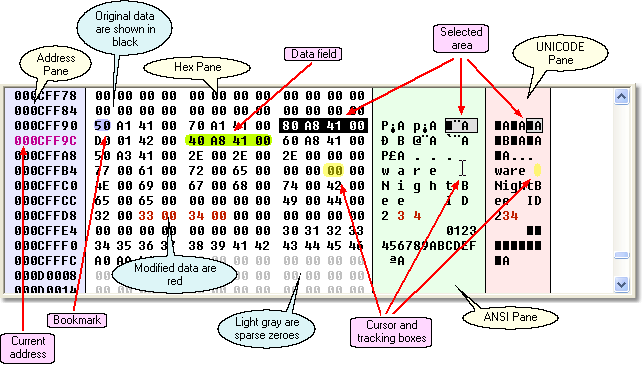
Das Hex-Fenster und die optionalen ANSI- und UNICODE-Fenster zeigen die zu bearbeitenden Daten an. Alle Fenster zeigen die gleichen Daten an - es sind allerdings verschiedene Ansichten der gleichen Daten.bJede Änderung in einem der Fenster wird sofort in den anderen Ansichten angezeigt.
Einfügen, Ändern und Löschen von Hex-Daten
Das Bearbeiten einer Datei mit FlexHEX ist einfach: Bewegen Sie die Maus an die Stelle, an der Sie Daten eingeben möchten, klicken Sie die linke Maustaste um den Eingabe-Cursor zu setzen und geben Sie die Daten ein. Abhängig vom aktiven Eingabefenster werden die Daten als Hex-Zahlen, ANSI-Zeichen oder als UNICODE-Zeichen eingegeben.
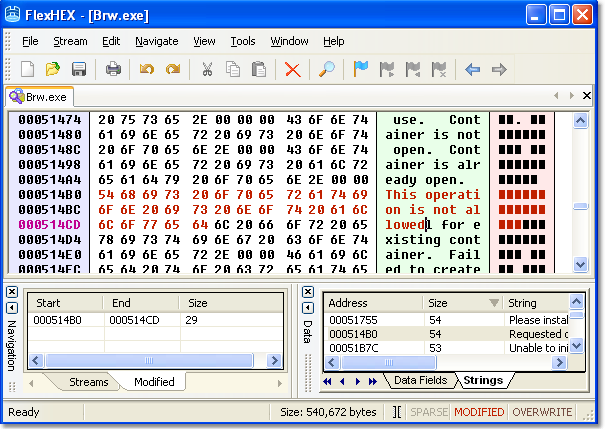
Sie werden vermutlich das Modified-Fenster im unteren, linken Teil des Hex Editor-Fenster bemerkt haben. Dieser Bereich Listet alle Bereiche auf, die geändert wurden. Klicken Sie einfach auf die Start- oder End-Adresse, um dorthin zu navigieren; Klicken Sie auf das Feld Größe um den gesamten Bereich auszuwählen.
Mehrstufige Rückgängig-Funktion
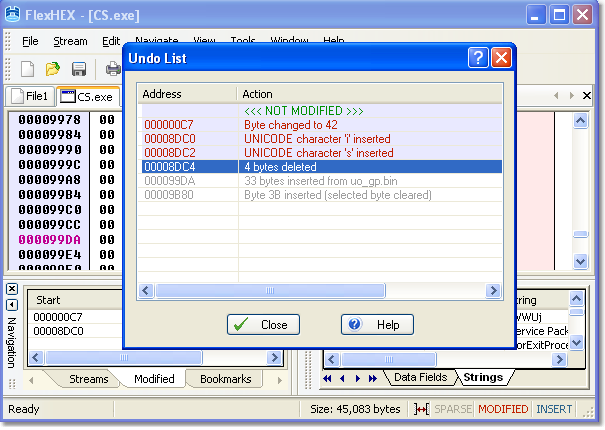
Ein weiteres nettes Feature des FlexHEX Editors ist die Rückgänig-Liste. Jede Änderung der Datei ist hier aufgelistet. Klicken Sie einfach auf die Position, die Sie rückgängig machen oder wiederholen möchten.
Schnellbetrachter: Datei überprüfen
Die Benutzung des integrierten Schnellbetrachters ist einfach und unkompliziert: Wählen Sie die Daten, die Sie untersuchen möchten und bewegen Sie den Mauszeiger auf den markierten Bereich.
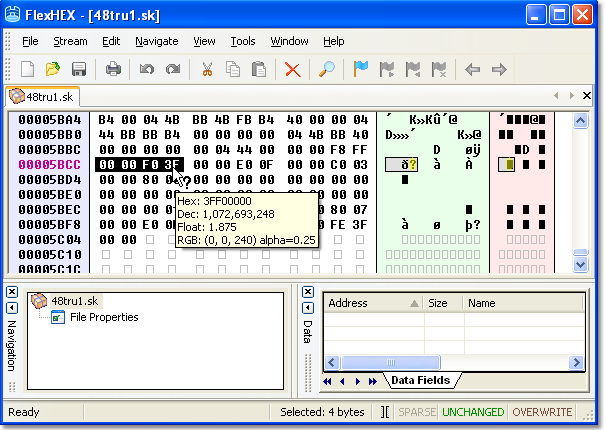
Wenn der Schnellbetrachter eine gültige Interpretation für die ausgewählten Daten kennt, wird sich der Mauszeiger in einen Pfeil-mit-Fragezeichen ändern und das Betrachterfenster öffnet sich.
Navigation mit Hilfe von Lesezeichen
Ein Lesezeichen ist ein Feature, das eine Kurzreferenz speichert, die auf eiine bestimmte Stelle in der Datei zeigt. Neben den üblichen Lesezeichen-Befehlen (ein-/ausschalten, weiter, zurück) enthält FlexHex das Lesezeichen-Fenster, welches die Bearbeitung noch komfortabler macht.
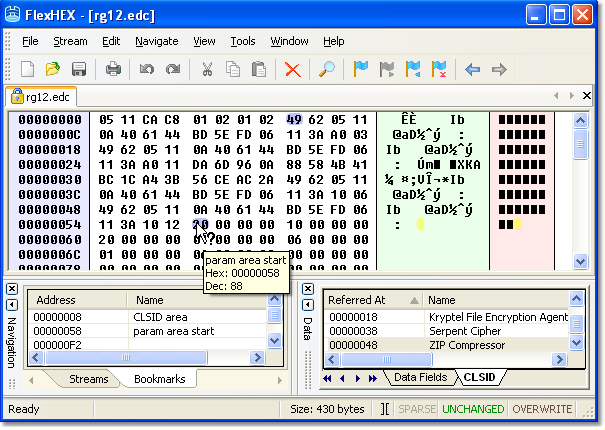
Lesezeichen sind im linken Programm-Fenster, im Bookmarks-Fenster gruppiert, wodurch sie einfach zu verwalten sind. Wenn Sie den Mauszeiger auf ein Lesezeichen bewegen, zeigt der Schnellbetrachter die Position und, falls das Lesezeichen benannt wurde, auch den Namen an.
Bearbeiten von NTFS Alternate Streams
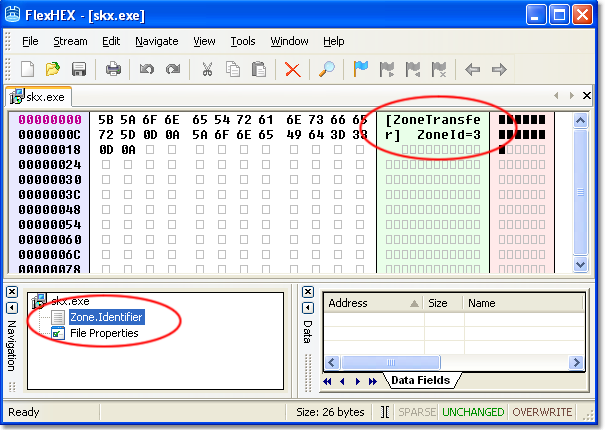
Es gibt eine Menge nicht-kritischer Informationen, für die alternative Datenströme der ideale Speicherort ist. FlexHex können Sie anzeigen und bearbeiten diese Informationen.
Benutzerdefinierte Datenfelder
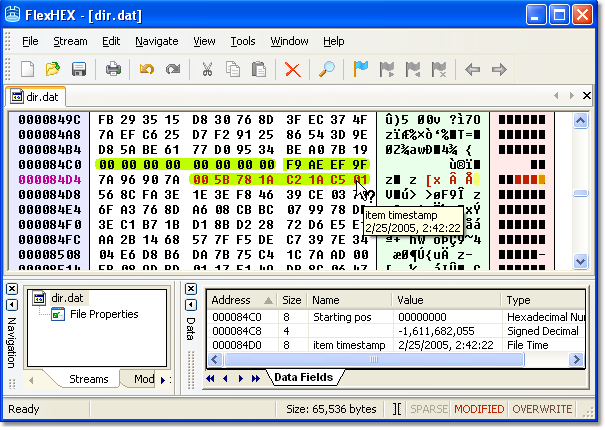
Das Datenfeld-Fenster listet alle definierten Datenfelder auf und ermöglicht eine schnelle Navigation. Ein Datenfeld ist einfach ein Dateibereich, dem der Benutzer einen Typ und optional einen Namen zuweisen kann.
Beginnen Sie mit einer 30-tägigen Testversion
Diese Software hat keine deaktivierten Features. Sie können die ganze Funktionalität von Hex-Editor mit vielen erweiterten Features ausprobieren.

FlexHex läuft unter allen Windows-Versionen, von Windows 95 bis zur neuesten Windows 11.